

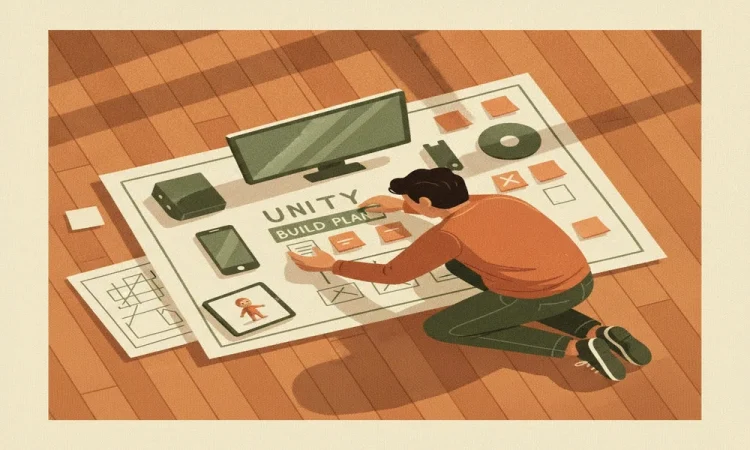

- Fix scope and target platforms before writing code. Cross-platform choices in Unity 3D game development drive cost, art budget, and performance from day one.
- Size the budget to phases (prototype, vertical slice, production, polish) so spend follows validated progress. An undefined “done” is the top budget killer.
- Good Unity development planning picks the render pipeline, engine version, and asset pipeline early, and builds in analytics and live-ops hooks so you are not re-architecting after launch.
- Vet a Unity game development company on portfolio, process, and communication, not price alone. Custom Unity development should solve your problem, not skin a template.
- Get full IP and source-code ownership in writing. It does not transfer to you automatically.
- Plan QA across real devices and a post-launch roadmap backed by ongoing Unity development services.
Picture a founder with a funded vision and a signed contract. The money is in place, the idea is sharp, and the first build of the Unity 3D development project looks great in the demo. Then the back half of the schedule arrives, and every week brings a surprise: the game was built for desktop but the market is on phones, “finished” keeps moving, and nobody can say who owns the source code. That founder is now paying for the same work twice. And the assets that fill a build like this are not a small line item. The 3D digital asset market was valued at USD 32.47 billion in 2025 and is projected to grow from USD 36.72 billion in 2026 to USD 98.21 billion by 2034, a 13.09% compound annual growth rate, with gaming and animation making up roughly 15% of the market. This is a real product economy. Treat your build like one.
Here is the position this guide argues. The hard part of a Unity build is not the engineering. It is the set of decisions you make before anyone opens the editor: scope and platforms, budget realism, technical planning, partner choice, IP ownership, and testing plus post-launch support. Get those right and a competent team ships. Get them wrong and no amount of clever code saves you.
Most “Unity project” guides are written for developers learning to code. This one is for the person writing the check. You will leave with a pre-project checklist you can carry straight into a vendor call.
Nail scope and platforms before a line of Unity 3D game development begins
Scope is the answer to two questions: what must the product actually do, and where does it run.
For a game, that means the genre and the core loop, the handful of actions the player repeats. In a match-3 puzzle, the loop is swap, clear, score, refill. Everything else is decoration on that loop. If you cannot write your core loop in one sentence, your Unity 3D development project does not have a defined scope yet, and neither will your budget.
Not every Unity build is a game. A common one is a training simulation that teaches a plant procedure in 3D, where the “core loop” is the sequence of steps a worker practices safely before touching real equipment. Maybe you are commissioning a mobile game. Maybe it is an interactive gamification of training and development experience. The discipline is the same: name the key interactions first.
Platform choice is a day-one commitment, not a switch you flip later. Here is why, in plain terms. The same Unity project behaves differently on different hardware. Unity’s own documentation notes that input built for a desktop, such as Input.GetAxis, is not suitable for the touchscreens that mobile devices rely on, and that a game running smoothly on a desktop can drop frames on a phone because the mobile CPU struggles with the complexity. So “we will add mobile later” is usually a rebuild, not a setting.
Your render pipeline is part of that platform decision. Unity’s High Definition Render Pipeline (HDRP) targets high-end PC and console, and it does not support mobile or web. Unity’s own render-pipeline feature comparison marks Nintendo Switch, iOS, Android, Mobile VR, HoloLens, and WebGL as unsupported for HDRP, and its showpiece features like ray tracing and volumetric clouds need compute-capable hardware. The Universal Render Pipeline (URP) does support mobile and WebGL. The lesson is simple: your platform list decides your pipeline, and your pipeline caps your visuals. Decide the list first.
Before you move on, get three things in writing:
- The core loop or key interactions, in a sentence or two.
- A ranked platform list: primary platform now, others later.
- The art bar those platforms allow.
Build a budget and timeline you can defend, not one you hope for
The single biggest budget killer is an undefined “done.” When “finished” is a feeling instead of a written scope, cost has no ceiling. You can always add one more feature, one more polish pass, one more “small” change that quietly resets the schedule.
This is not a hunch. PMI’s 2018 Pulse of the Profession names avoiding scope creep, uncontrolled changes to a project’s scope, as one of the three factors with the most impact on project success. The same PMI 2018 report found that 9.9% of every dollar is wasted due to poor project performance, which it frames as USD 99 million for every USD 1 billion invested.
The gap between good and bad delivery is stark. In that PMI 2018 report, organizations that deliver 80% or more of their projects on time and on budget hit a 92% project success rate. Underperformers hit 32%. That gap is discipline, not luck, and discipline is something you can look for when you pick a partner later.
The tool that gives you control is phasing. Build in four stages, and know what each one buys:
- Prototype. Prove the core loop is fun or the interaction works. Cheap and throwaway. It answers “is this worth building?”
- Vertical slice. One level or one flow built to final quality, so you can see the real bar and price the rest against something real.
- Production. Build the full content and systems on top of the proven slice.
- Polish. Performance, bug fixing, feel, and store readiness.
The mechanism is straightforward. Phased spend maps money to validated progress. You buy the next phase only after the last one earned it. That caps your downside without capping your ambition.
Do not skip the prototype to “save time.” Skipping it does not remove the discovery work. It just moves that work into production, where changes cost the most.
Good Unity development planning decides architecture before launch, not after
You do not need to make these technical calls yourself. You do need to confirm your partner has made them on purpose, with reasons, before production starts. That confirmation is the heart of Unity development planning.
Engine version
Pick a version, and for a long build, a Long Term Support (LTS) release for stability. Decide the upgrade policy up front. Changing engine version mid-production is disruptive and expensive.
Render pipeline
As covered above, the pipeline you pick for your platform list also shapes your art pipeline. Settle it once, early.
Asset and art pipeline
This is the repeatable path a 3D model or texture takes from an artist’s file into the running build, with agreed formats, budgets (polygon counts, texture sizes), and naming rules. Remember that 3D assets are a major cost line in this market. An undisciplined asset pipeline shows up directly in your budget and your frame rate.
Performance and scale
Set a target frame rate and device tier at the start and build to them, rather than optimizing at the end. This is the same mobile-CPU reality from the platform section: if you design for a weak device late, you rework a lot.
Analytics and live-ops hooks
Build these in from day one. Unity’s own documentation describes Remote Config, also called Remote Settings, which lets a team change a game’s behavior and appearance by pushing new configuration values that every new session downloads, with no new build required. That supports difficulty tuning, feature toggles, and per-segment settings after launch. If these hooks are planned in, a post-launch change is a setting. If they are not, it is a re-architecting project.
The planning checklist, all decided before production: version and upgrade policy, render pipeline, asset budgets, performance targets, and analytics plus remote-config hooks.
Vet a Unity game development company on process, not price
You have three ways to build, and each fits a different situation.
- In-house team. Best when Unity work is a permanent, core part of your business. Slow and costly to staff for a single build.
- Freelancers. Flexible and cheap for narrow tasks. They carry key-person risk and thin process for a full product.
- A studio. A Unity game development company carries end-to-end process, a bench of specialists, and continuity. For a first full build, this is usually the fit.
Think back to the PMI champion-versus-underperformer gap: 92% success against 32%. What you are really buying from a studio is repeatable process, scope control, and delivery discipline. That is exactly what separated the two groups.
When you review a portfolio and process, look for shipped titles on your target platforms, not just polished concept reels. Ask for references you can actually call. Expect a written process with milestones, demos, and sign-offs, and a clear communication cadence. A partner that offers real 3D game development services can point to games that shipped and stayed live, and can explain how they got there.
Here is the question that separates custom Unity development from template-skinning. Ask a prospective partner how they would solve your specific problem, and listen closely. Is the answer built around your core loop and your constraints, or around a reskinned template they already own? Custom means the architecture fits your problem. Skinning means your problem gets bent to fit their template.
Global engagements add one more thing to settle before you sign: time zones, overlap hours, language, and project-management tooling. A studio several time zones away can work very well with a fixed daily overlap window and async demos. It fails when there is no agreed cadence at all.
Get IP and source-code ownership in writing before the first commit
Here is the part that surprises first-time buyers. Paying for custom software does not automatically make you its legal owner.
Under U.S. copyright law, work created by an independent contractor counts as a “work made for hire,” owned by the commissioning party, only if it meets all four conditions. The U.S. Copyright Office explains in Circular 30 that the work must fall within one of nine enumerated categories, there must be a written agreement, that agreement must expressly say the work is “made for hire,” and it must be signed by all parties. If a work fails any of these, it is not a work made for hire. Custom game software does not squarely fit those nine categories, so you need an explicit copyright assignment to own the source and the assets.
Take this checklist to your lawyer:
- A written assignment of copyright in source code, art, audio, and design to you.
- Clean handling of third-party licenses and assets, such as store-bought models, plugins, and fonts, so nothing you cannot legally ship is baked in.
- Delivery of credentials and accounts (store, analytics, cloud) in your name.
- A maintainable, documented codebase with repository access, not a black box you cannot extend or hand to another team.
This is a mechanism, not a scare story. Without assignment, you may hold a license to use the product but not the right to modify it, resell it, or move it to a new studio. Ownership is what lets your Unity 3D development project outlive the relationship that built it.
Plan testing and post-launch support with real Unity development services
Testing is a plan, not a phase you hope for at the end.
Plan for functional and device QA across your real target devices, not just the editor. Unity’s own documentation describes the Unity Test Framework, built on NUnit, which runs Edit mode tests inside the editor with access to editor and runtime code, and Play mode tests that exercise runtime code through the [UnityTest] attribute. Play mode tests can run inside a standalone player build on target platforms, which is how you catch device-specific problems before your players do.
Store submission and compliance belong on the plan early too. App-store review rules, age ratings, privacy disclosures, and console certification all carry requirements that can delay a launch if you discover them late.
Post-launch is where a one-off delivery becomes a durable product. A competent partner should offer ongoing Unity development services: bug-fix service levels, operating-system and engine-version updates, live-ops content, and a written update roadmap.
This is where earlier planning pays off. Because analytics and Remote Config were built in during technical planning, live-ops work like difficulty tuning, feature toggles, and seasonal content can often ship without a new binary, per Unity’s documentation. That is the reward for planning post-launch before launch.
Decide up front how support will run: a retainer with your build partner, an in-house handoff, or a hybrid. Then make sure the ownership terms and documentation from the previous section actually make that handoff possible.
The bottom line before you start your Unity 3D development project
The code is the easy part to buy. The decisions around it are what decide whether your Unity 3D development project ships on time, on budget, and on the platform your market actually uses. Settle scope, platforms, phasing, technical planning, partner choice, ownership, and support before you sign, not while you build.
Carry one test into your next vendor call. If a prospective partner cannot walk you through scope, platform and pipeline choices, phasing, IP assignment, and a post-launch plan without you prompting them, you have your answer.
FAQs
How much should I budget for a Unity 3D development project?
There is no single honest number, because cost tracks scope, not the engine. Budget by phase (prototype, vertical slice, production, polish) and size each phase against your vertical slice, which is real work built to final quality. The biggest cost driver is an undefined scope, so pin that down before you price anything.
Should I build for one platform first or all platforms at once?
Pick a primary platform and render pipeline first. Cross-platform support is a day-one architecture choice, not a late toggle, and adding a very different platform later, such as going from desktop to mobile, is closer to a rebuild than a setting. Rank your platforms and commit to the primary one.
How do I choose between freelancers and a Unity game development company?
Match the choice to scope and risk. Freelancers work well for narrow, self-contained tasks. For a full product, a studio brings process, continuity, and shipped-on-your-platform evidence, which is what protects a large build.
Will I own the source code and assets?
Only if your contract says so in writing. Insist on an explicit copyright assignment covering source, art, audio, and design, because paying for the work does not transfer ownership by default. Also confirm you receive accounts, credentials, and a documented, maintainable codebase.
What happens after launch?
Plan for ongoing Unity development services: device and operating-system updates, bug fixes, and live-ops content, guided by an update roadmap. Make sure the ownership terms and documentation let you or another team maintain the product, so launch day is a milestone rather than the end of the road.
